This project is scheduled for launch
Launch date: Friday, December 4, 2026 at 08:00 AM UTC
Scheduled
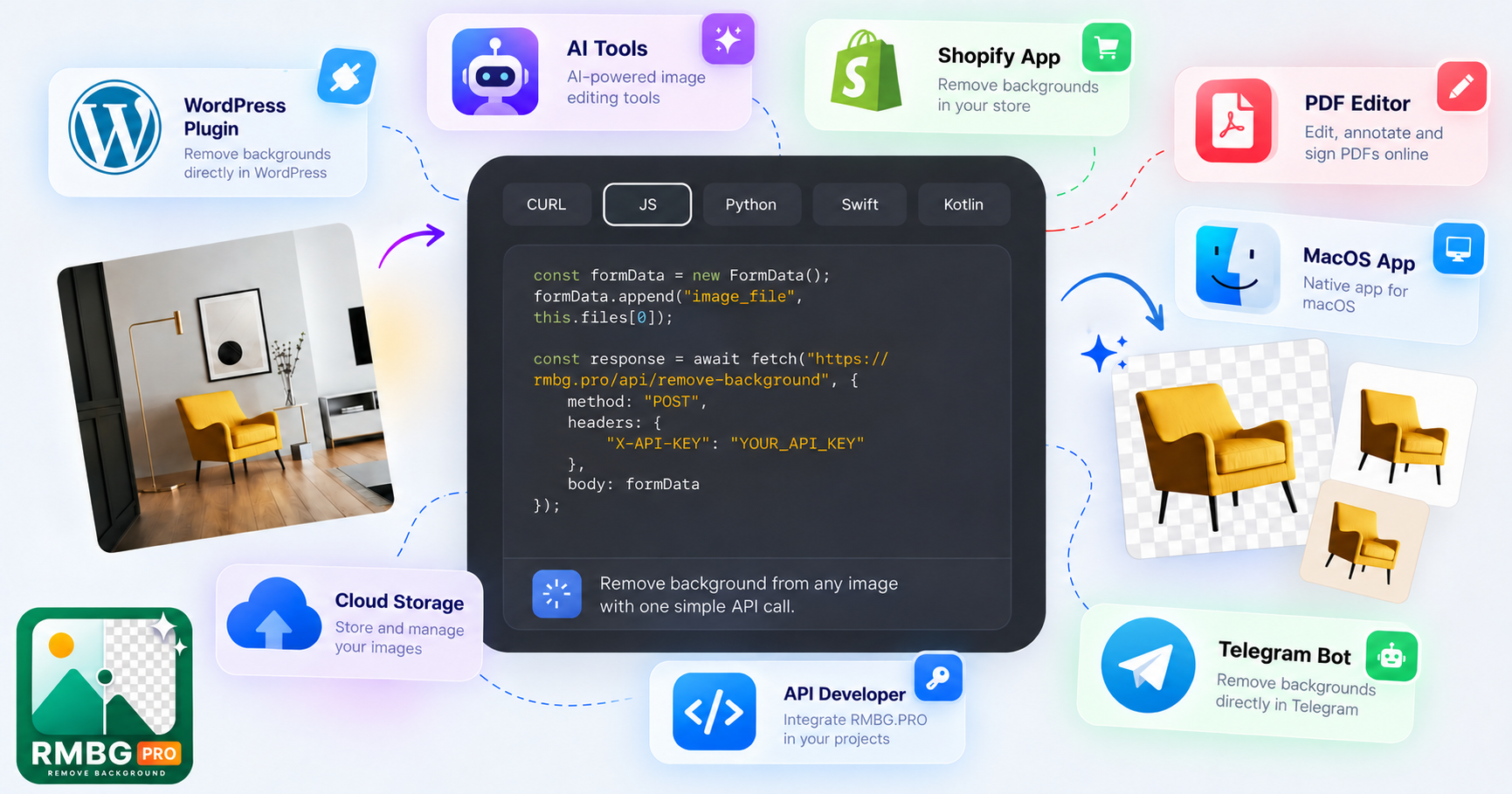
RMBG PRO is a comprehensive, AI-powered creative toolkit designed to streamline image editing, content creation, and everyday digital tasks. It empowers solo makers, busy stores, and creative teams to transform ideas into polished results with minimal effort.
Key Features
- AI-Powered Background Removal: Achieve clean cutouts and custom backgrounds for any image.
- AI Image Generator: Create stunning visuals from text prompts, exploring various models and styles.
- Image to Layers: Convert flat images into editable transparent layers, exportable as PNGs or Photoshop PSDs.
- PDF Editor & Utilities: Add text, images, signatures, organize pages, compress, and convert PDFs.
- Cloud Collections: Organize, store, and share your creative work with public or private portfolios.
- Everyday Toolkit: Access 31 tools including image resizing, format conversion, text-to-speech, and AI writing assistance.
Use Cases
RMBG PRO is ideal for e-commerce businesses looking to make their products shine with professional, clean product images. Marketers can leverage the AI Image Generator and YouTube Thumbnail Maker to quickly create engaging visual content, while content creators can use the AI Writing Assistant and Text to Speech tools to enhance their narratives. Beyond creative tasks, it serves as a robust productivity hub. Users can extract text from images with the Image to Text Converter, manage documents efficiently with the PDF Editor, and even anonymize license plates for privacy-conscious photography. Its versatility makes it an indispensable tool for anyone needing to quickly process and enhance digital assets.Pricing Information
RMBG PRO operates on a credit-based model for its AI generation and server-processed tools, with costs clearly displayed within each tool. Many browser-based image, PDF, and text utilities are available without credit consumption. Detailed pricing plans are accessible on the dedicated pricing page.User Experience and Support
Designed for ease of use, RMBG PRO offers a user-friendly, browser-based interface that makes complex tasks accessible to everyone. Interactive demos and helpful FAQs guide users through the toolkit. For more specific assistance, direct support options are available, ensuring a smooth and productive creative workflow.Technical Details
The platform leverages advanced AI models for its core functionalities like background removal and image generation. It provides a powerful REST API, allowing developers to integrate its image processing capabilities directly into their own applications and workflows. Client-side processing is utilized for certain tools like watermarking, enhancing privacy and speed.Pros and Cons
- Pros:
- Comprehensive suite of AI-powered creative and productivity tools.
- Browser-based accessibility with desktop, mobile, and browser extension options.
- Robust API for seamless integration into custom workflows.
- Cloud storage and sharing features for organized work.
- Supports multi-image processing and various file types.
- Cons:
- Advanced AI features require credits, which may incur additional costs.
- Specific details on advanced collaboration features beyond sharing collections are not extensively highlighted.
- No explicit free tier for all tools, though some browser-based utilities are credit-free.
Conclusion
RMBG PRO stands out as an all-in-one creative toolkit that combines the power of AI with everyday utilities to simplify and enhance digital content creation. Whether for professional projects or personal endeavors, it provides the tools to bring your biggest ideas to life with small effort. Explore RMBG PRO today and make room for your next great idea.Comments
Comments will be available once the project is launched.
Publisher

Launch Date2026-12-04
Platformweb
Pricingpaid
Tech Stack
#web
Outbid
View🥇 🥈
 🥉

Want this spot? Pay what you wantBoost Your Domain Rating — DoFollow Backlinks (DR 30–70) from $30
Raise your Ahrefs Domain Rating with 5 - 50 dofollow backlinks from DR 30–60 sites — from $50, guaranteed to improve your DR or your money back.
$45
DirEasy - The Best Directory Boilerplate with AI | DirEasy
The best directory boilerplate, packed with AI, Listings, Payment, Submission, CMS, Blog, Authentication, Newsletter, SEO and more.
$41
Submit Your Startup to 100+ Directories | Submitator
Automated startup directory submission service. Get listed on Product Hunt, BetaList, Indie Hackers & 100+ directories for SEO backlinks and DR boost. From $29.
$40